Infrastructure as Code (IaC) Issues
What is Infrastructure as Code?
Infrastructure as Code (IaC) refers to defining and managing cloud infrastructure using configuration files instead of manual provisioning.
Flyingduck scans IaC files to identify security misconfigurations before infrastructure is deployed.
Supported IaC Formats
Flyingduck scans the following common IaC formats:
- Terraform (
.tf) - AWS CloudFormation (
.yaml,.json) - Kubernetes manifests (
deployment.yaml,service.yaml) - Azure ARM templates
- Pulumi configurations
What Are IaC Issues?
IaC Issues are security and configuration risks introduced by insecure infrastructure definitions in code.
Key Characteristics
These issues:
- Exist before resources are deployed - Detected during the development phase
- Can affect multiple environments - The same misconfiguration may propagate across dev, staging, and production
- May expose entire cloud accounts - Not limited to individual applications, but can affect organization-wide infrastructure
Why IaC Security Matters
Flyingduck identifies these issues early in the development lifecycle to help teams:
- Prevent misconfigurations from reaching production
- Reduce overall cloud risk
- Enforce security best practices before deployment
- Save time and cost by catching issues before infrastructure provisioning
How Flyingduck Detects IaC Issues
Flyingduck performs static analysis on IaC files to:
- Identify security misconfigurations
- Detect compliance violations
- Flag overly permissive access controls
- Highlight encryption and data protection gaps
- Validate against cloud security best practices
By scanning IaC files in commits, pull requests, and scheduled scans, Flyingduck ensures secure infrastructure provisioning across your organization.
Scanning for IaC Issues
Using Docker Command
To scan your repository for IaC issues, include the --iac-scan=true flag in the Docker command:
docker run --pull=always -e FD_API_KEY=<your-api-key> -v ${PWD}:/src --entrypoint /bin/bash flyingduckio/duckdefender:latest -c "duckdefender code --all --loglevel=debug --iac-scan=true"Command Breakdown
--pull=always- Ensures you're using the latest version of the scanner-e FD_API_KEY=<your-api-key>- Your Flyingduck API key for authentication-v ${PWD}:/src- Mounts your current directory to the container--iac-scan=true- Enables Infrastructure as Code security scanning
What Happens During the Scan
When you run this command, Flyingduck will:
- Scan the repository for IaC configuration files
- Analyze each file for security misconfigurations
- Identify compliance violations and risks
- Post the scan results to your Flyingduck dashboard
The results will be available in your Flyingduck console, where you can view detailed findings, severity levels, and remediation guidance.
IaC Issues Dashboard
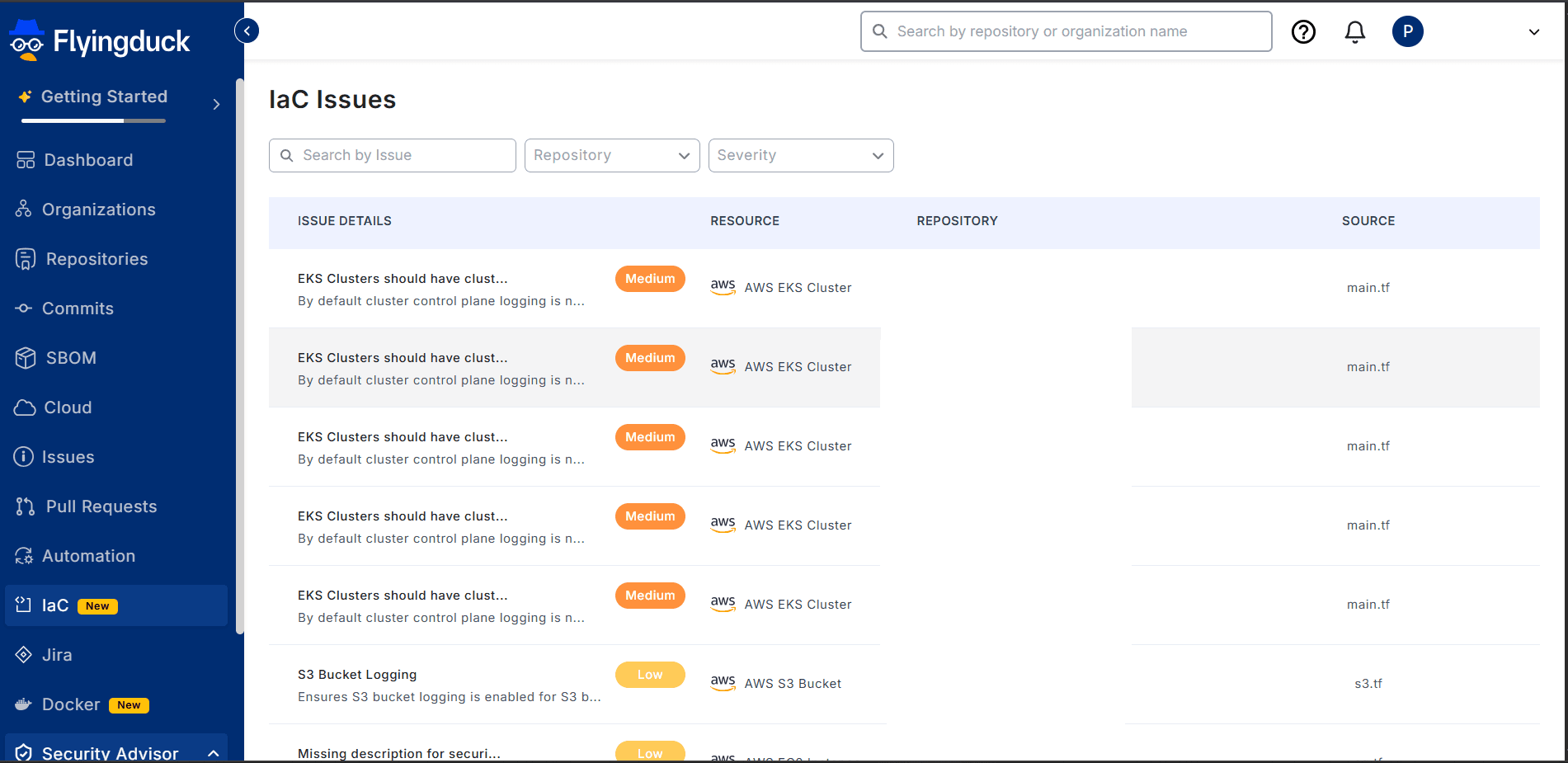
The Flyingduck dashboard provides a comprehensive view of all detected IaC issues across your repositories, including severity levels, affected files, and recommended remediations.